
GitHub Integration
GitHub is a code hosting platform for version control and collaboration. It lets you and others work together on projects from anywhere.
You can use our GitHub integration to route details events from GitHub to the right users in Incident Response.
How to integrate GitHub with Incident Response
In Incident Response: Using GitHub as an Alert Source
-
Navigate to Services -> Service Overview -> select or search for your Service. Expand the accordion -> In the Alert Sources section, click Add.
-
Select GitHub. Copy the displayed Webhook URL to configure it within GitHub. Finish by clicking Add Alert Source -> Done.


When an alert source turns Active, it’ll show up under Configured Alert Sources. You can either generate a test alert from the integration or wait for a real-time alert to be generated by the Alert Source.
An Alert Source is active if there is a recorded incident via that Alert Source for the Service.
In GitHub: Create a Incident Response Webhook
You can configure a webhook for a group or a project.
-
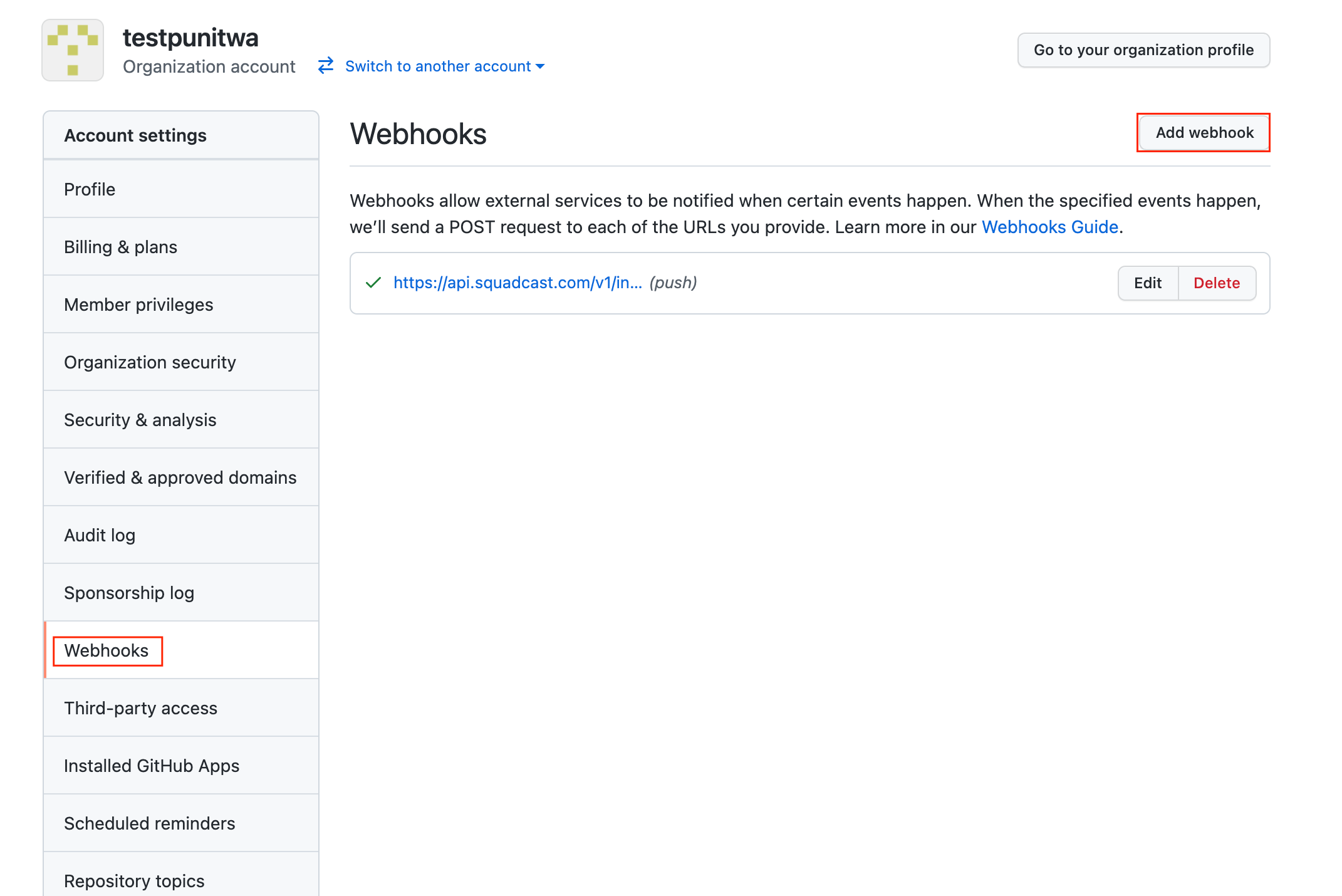
Click on your user icon on the top right. Under Your repositories or Your organizations, navigate to Settings
Under the Webhooks section, then select Add webhook
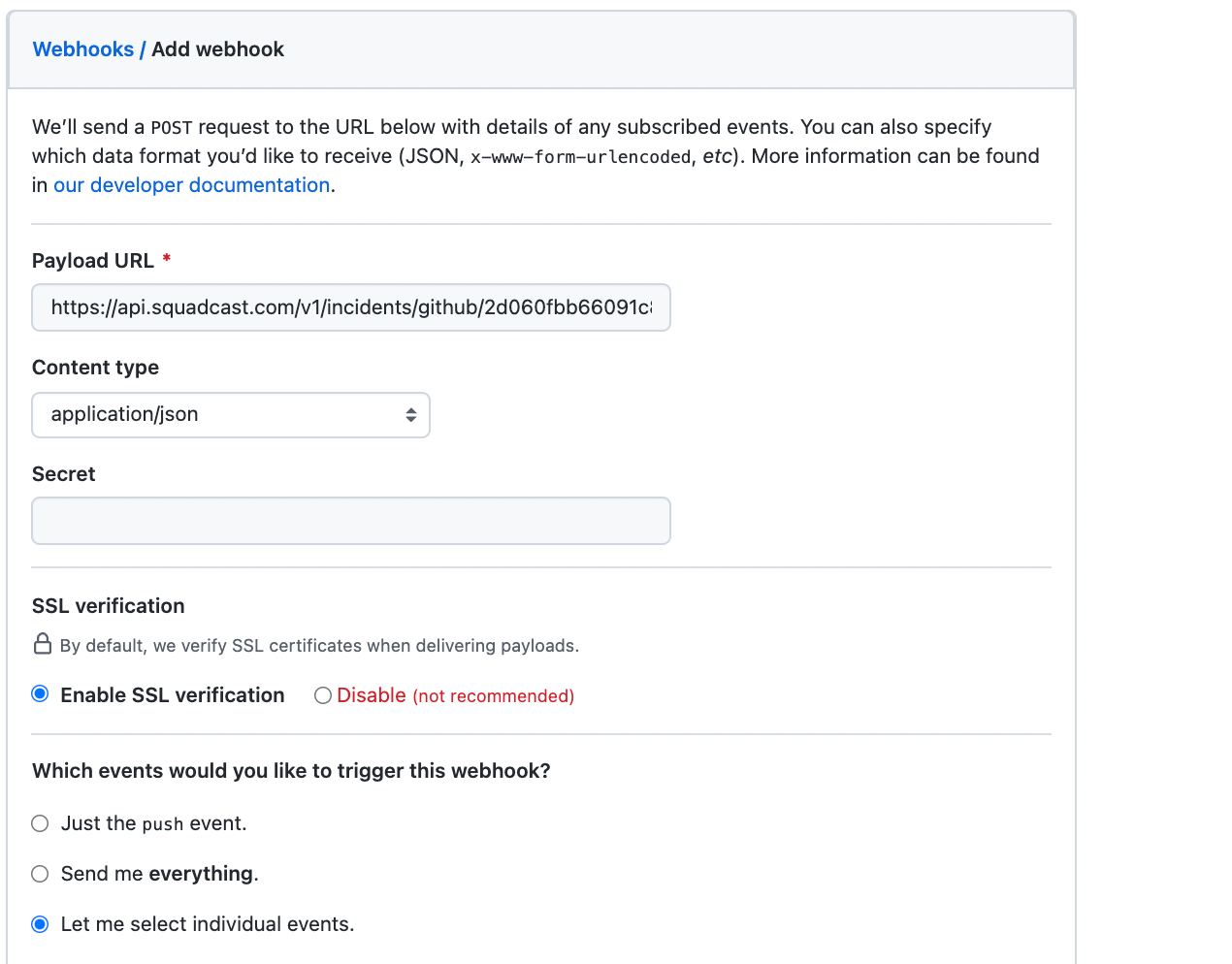
Paste the previously copied Webhook from Incident Response into the Payload URL field, and select Content type as
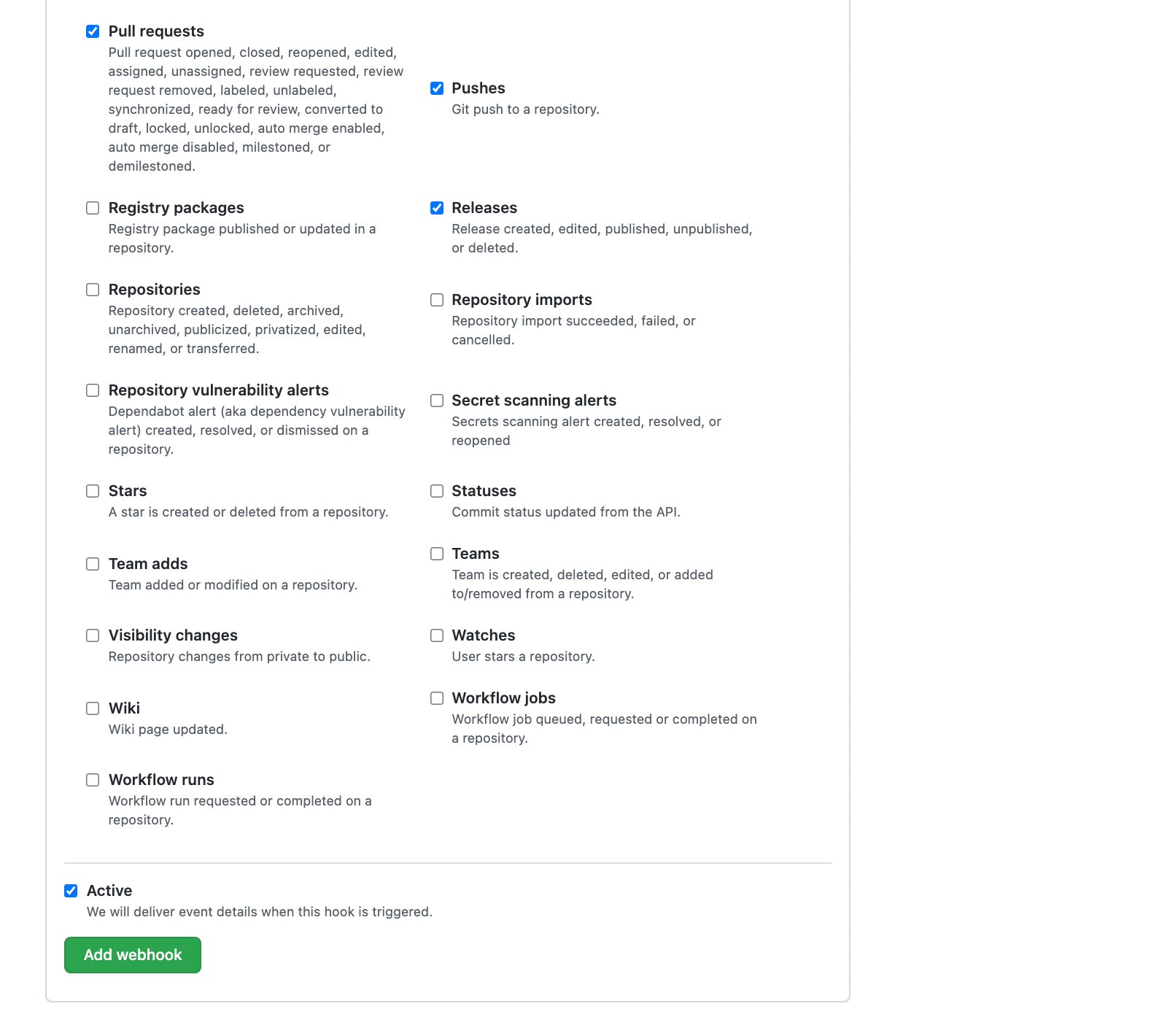
application/jsonIn Which events would you like to trigger this webhook section, choose Let me select individual events and select the below events to trigger the Webhook. Next, click on Add webhook

-
Issues -
Pushes -
Pull Requests -
Releases -
Repository Vulnerability Alerts

This integration supports the below GitHub events:
-
Issues(Supports auto-resolution) -
Pushes -
Pull Requests(Supports auto-resolution) -
Releases -
Repository Vulnerability Alerts(Supports auto-resolution)
That is it, you are good to go!
-
Every time an Issue, Push, Pull Request, or Release event occurs in GitHub, an incident would be created in Incident Response.
-
When an Issue or a Pull Request is closed in GitHub, the corresponding incident in Incident Response will be automatically resolved for it.
-
However, for Pushes and Releases, users will have to manually resolve the associated incidents in Incident Response.